01 / CAPTURE
Capture
Record gameplay with a rolling capture workflow.
ClutchCue is a Windows app in development that uses custom on-screen event detection to capture your gameplay highlights — then lets you review, edit and publish them in one place.
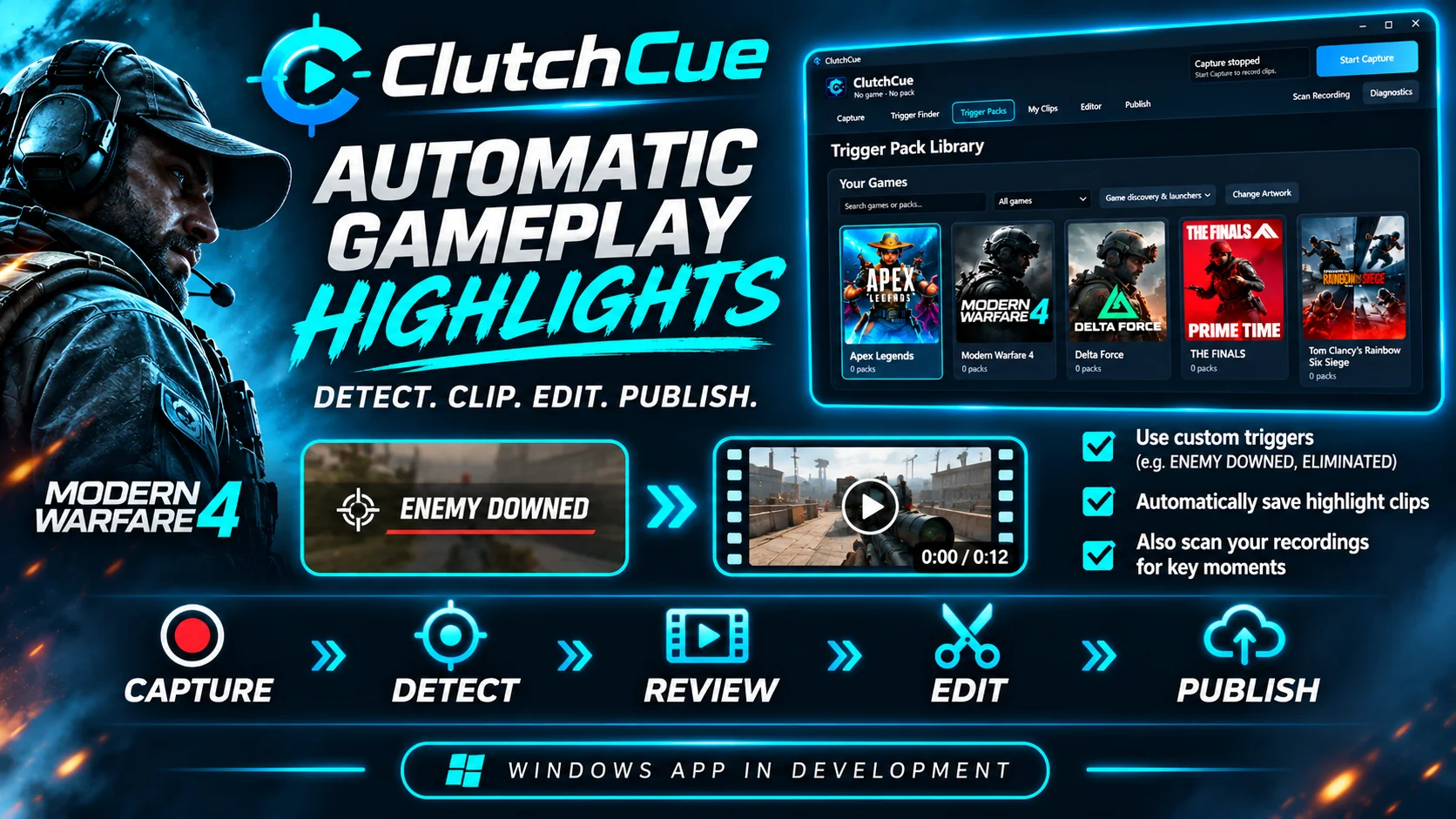
Spend less time digging through recordings. ClutchCue is being built around a practical five-step workflow.
Record gameplay with a rolling capture workflow.
Use chosen on-screen text and trigger packs to find key events.
Find clips in your library and check what was captured.
Shape the highlight with the built-in timeline editor.
Prepare and share finished content, including YouTube workflows.
ClutchCue brings event-based clipping and everyday creator tools together. Feature availability and game compatibility are still being tested.
Choose on-screen text events to look for — such as enemy downs or eliminations — rather than relying on a generic fixed list.
Already recorded a session? The recording scanner is designed to find matching moments in saved gameplay files.
Review clips, work in the editor and prepare highlights for publishing without jumping between several unrelated tools.
Watch our short introduction to the ClutchCue concept. The video shows the workflow we're building; it's promotional artwork rather than footage from a finished app.
Use custom triggers based on relevant in-game on-screen events.
Bring detected clips into one place to review and edit.
We're sharing progress as features are tested and refined.
ClutchCue is not available to download yet. Follow development updates, upcoming real-software demonstrations and future beta-testing announcements on our official channels.
Not yet. ClutchCue is in active development and testing. There is no announced public release date. Follow our social channels for progress and future testing news.
No. ClutchCue is built around custom on-screen text triggers and game-specific trigger packs. Detection depends on the game, the chosen event and how the on-screen notification is presented.
Prerecorded gameplay scanning is part of the application being developed and tested, alongside live capture and clipping.
Capture performance and reliability are ongoing testing priorities. We won't promise a specific FPS impact until we have repeatable test results to share.
Pricing and licensing have not been announced. We don't want to promise a price or release model before those details are decided.
A closed beta is planned for a later stage. There is no public sign-up form yet. We will share any testing opportunities on our official channels when they're ready.